You use the same link from your Mock Exam to access your real Exam. After login, you will see your actual exam on the dashboard for your to 'Start'.
The ExamOnline link will open 15 to 30 minutes before the official start time.
You are required to have your ID or Passport with you at the start of the exam. This must be the ID or Passport with the ID or Passport Number you have registered with.
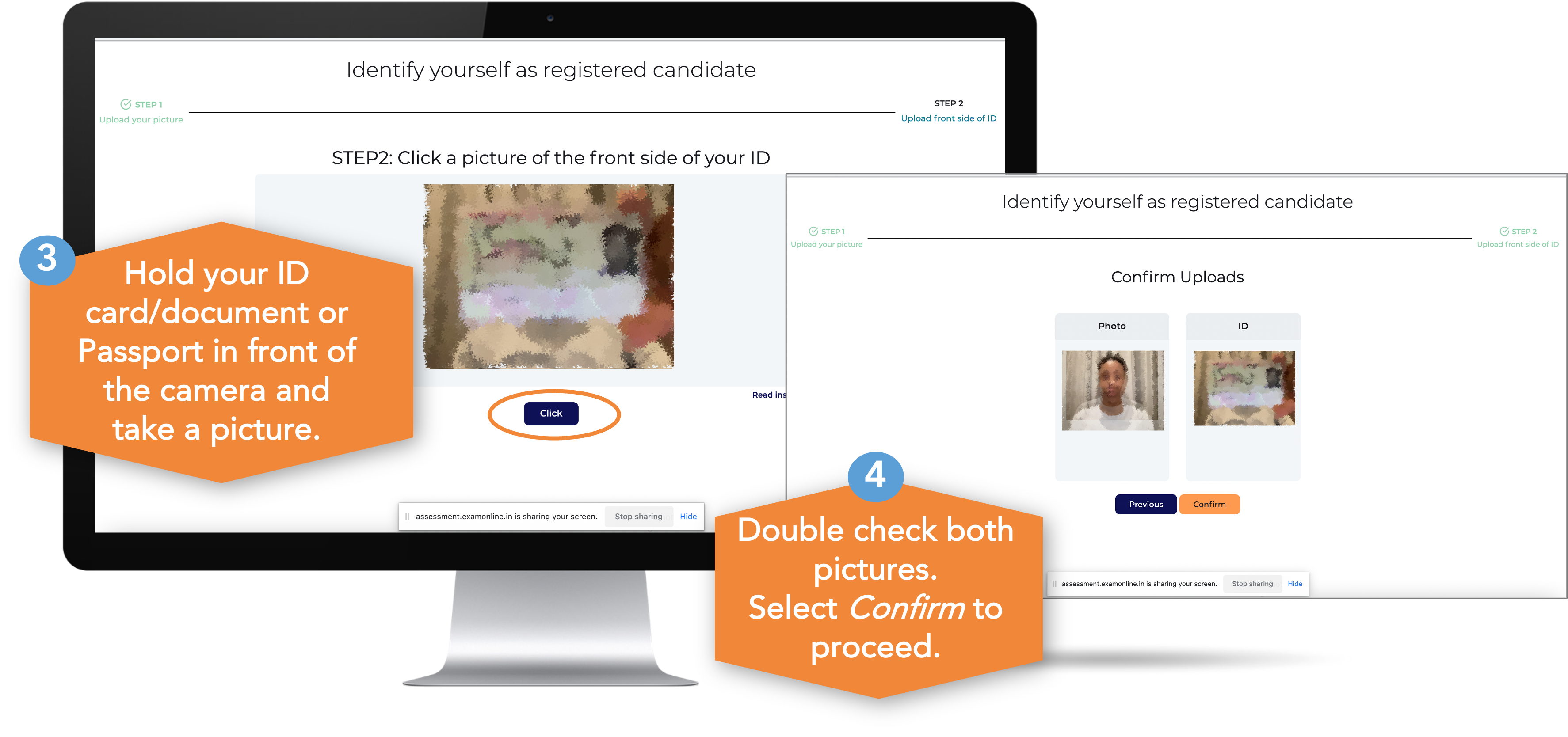
You will be asked to take a picture of yourself and your ID or Passport to authorize your access to the Mock / Practice Exam as well as the Actual PDE Exam enrolled for.
Photo of yourself
Your ’selfie’ will be compared to your ID / Passport to ensure that you are accurately identified.
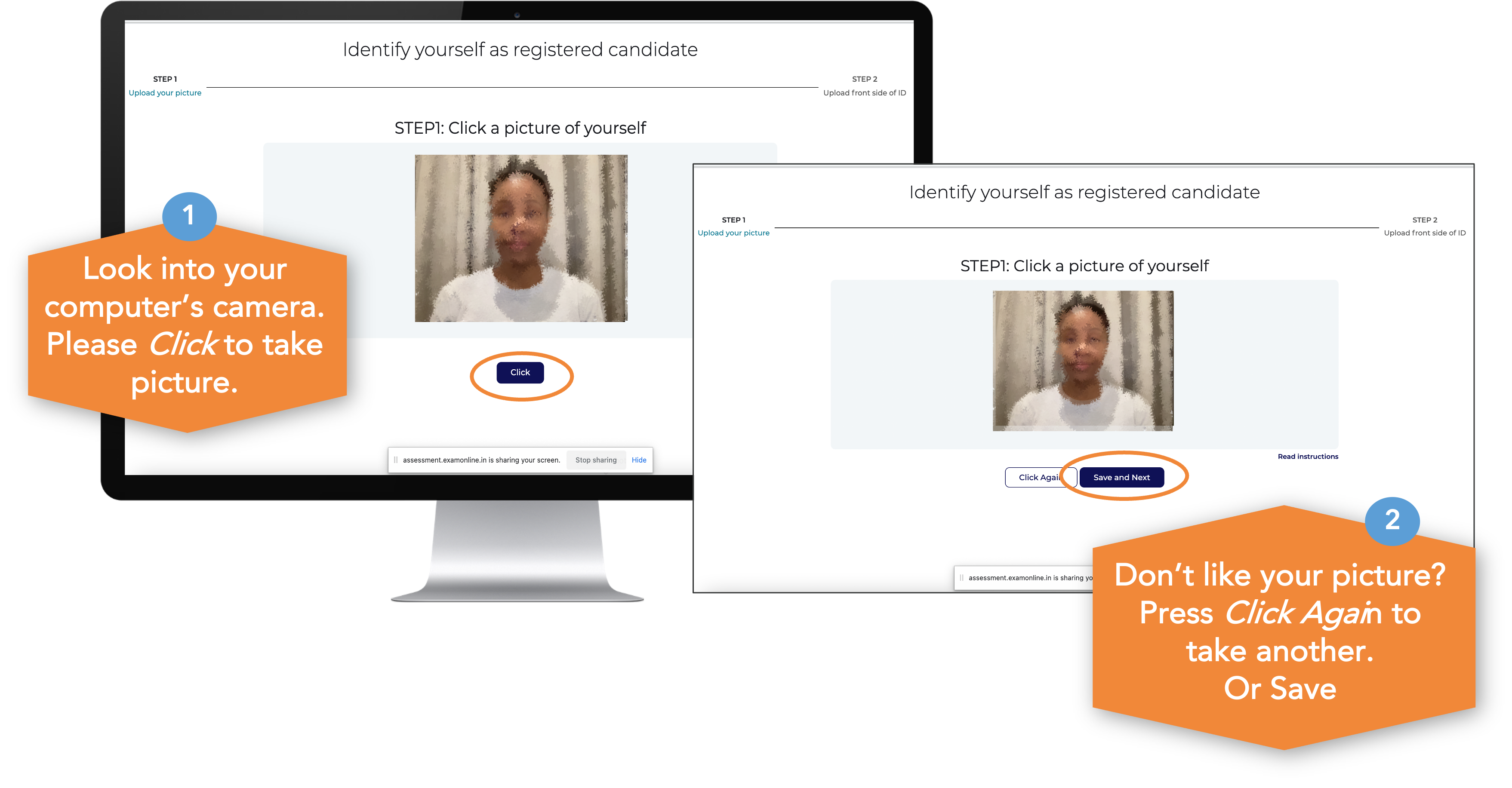
Photo of your ID
Wait for Authorisation
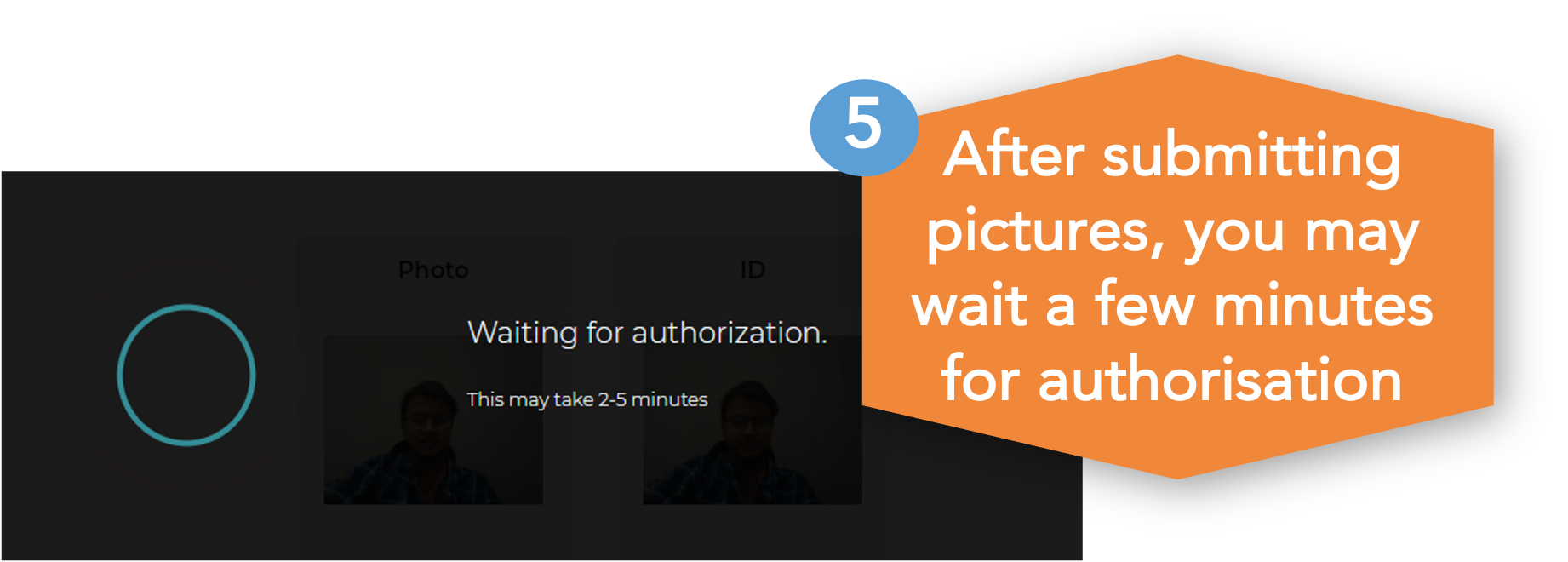
On the day of the actual exam, your photo and ID will be reviewed by a human being or facial recognition software. You may need to wait a few minutes for this authorisation.
Note that when you are doing a Mock or Practice exam, you will not experience this waiting period.
Data Privacy
All regulations in terms of POPIA and GDPR will be observed and your data is protected.
Once successfully authorised, you will gain entry to the exam around the official start time.