Find the Wordly the link provided to you - on the meeting invite, or zoom chat etc.
Click to open the link in your default browser.
Example: https://attend.wordly.ai/join/XXXX-0000

If the session ID is not filled in, enter the Session ID number provided
Session ID: XXXX-0000
Click on Attend.

Now you can follow the presenter on the call as they are speaking. The automated translation into your selected language will appear.
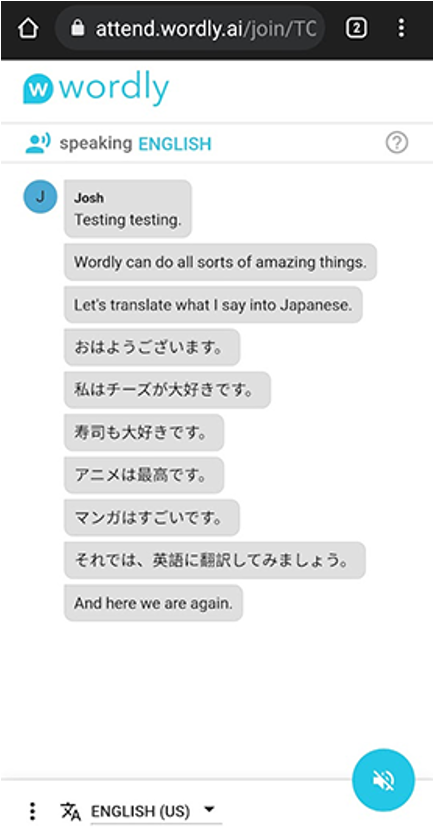
Open in Mobile or other window
You can also copy the link and paste it into another browser or tap, open it on your mobile phone or wherever is convenient.
Want to view Wordly and Zoom screens at the same time?
If you are using one screen having both Zoom and Wordly, it can get tricky to view everything on one screen. This is what you can do.
Reduce the size of your Wordly window to a rectangle shape and put it to one side of your screen.
Reduce the size of your Zoom window a little bit to make space for the Wordly window to sit by side.